Porady techniczne
Port USB-C Twojego iPhone’a potrafi znacznie więcej niż tylko ładowanie
Ciche przejście na USB-C zamieniło Twojego iPhone'a w koncentrator. Oto 10 rzeczy, które faktycznie możesz podłączyć i trzy niezbędne produkty Gibutech, po które będziesz sięgać każdego dnia.

Przez lata port Lightning utrzymywał Twój iPhone w otoczonym murem ogrodzie. USB-C zburzyło ścianę. Ten sam uniwersalny port w Twoim laptopie, tablecie i konsoli jest teraz dostępny w Twoim telefonie, co oznacza, że świat akcesoriów nagle po prostu zaczyna działać. Większość ludzi nadal używa go tylko do ładowania. Oto wszystko, co może zrobić.
Krótka wersja
Twój iPhone ze złączem USB-C może szybko ładować, zasilać inne urządzenia, sterować wyświetlaczem, czytać pamięć i nie tylko. Jeśli kupujesz tylko trzy rzeczy, zrób z nich: Ładowarka GaN, za Power bank MagSafe i jeden odpowiedni kabel 100W — trio, którego będziesz używać codziennie, a wszystko to w cenie poniżej 30 funtów.
Ładuj go prawidłowo i naprawdę szybko
Port jest tak szybki, jak to, co do niego podłączysz. Era cegieł 5W dobiegła końca: nowoczesność Ładowarka GaN zapewnia znacznie większą moc, a jednocześnie jest chłodniejszy i mniejszy niż stary krzem. Jednostka GaN o mocy 30 W z grubsza wypełnia iPhone'a sześć razy szybciej niż dołączona ładowarka, a ta sama wtyczka umożliwia ładowanie tabletu lub laptopa.
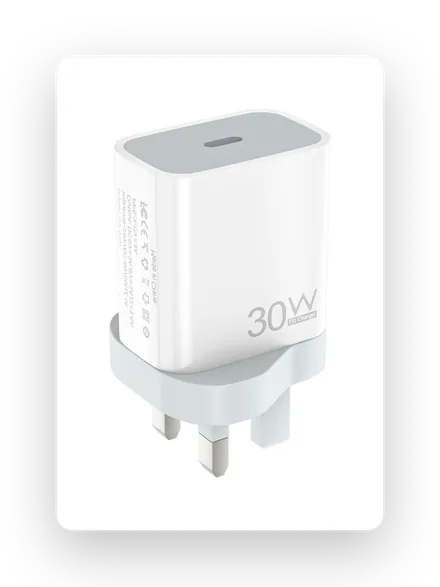
Wtyczka codzienna
Ładowarka GaN o mocy 30 W
Chłodny azotek galu, zasilanie USB-C, mieści się w każdej torbie.
£12.85Kup teraz →
Ładuj go w dowolnym miejscu, bez kabli
USB-C nie zabiło ładowania bezprzewodowego — poprawiło jakość akumulatora. A Power bank MagSafe Mocuje się magnetycznie z tyłu telefonu i ładuje go w ruchu, a następnie ładuje się przez USB-C. Kieszonkowy pakiet 5000 mAh to różnica między martwym telefonem o 16:00 a pełnym.
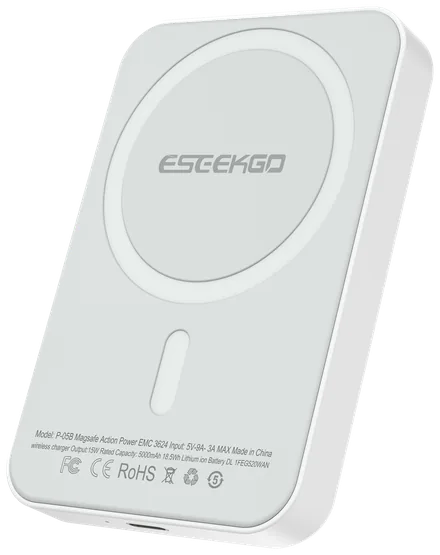
Ładuj w ruchu
Powerbank 5K MagSafe
Magnetyczny moduł bezprzewodowy o mocy 15 W, zatrzaskowy, bezpieczny w transporcie lotniczym, wejście i wyjście USB-C.
£14.80Kup teraz →
Odwrotne ładowanie słuchawek AirPods i zegarka
Oto trik, którego brakuje większości ludzi: Twój iPhone ze złączem USB-C może zwiększyć moc na zewnątrz — do 4,5 W — aby w mgnieniu oka doładować słuchawki AirPods, Apple Watch lub telefon znajomego. Wystarczy, że połączysz je odpowiednim kablem USB-C. Przydatny na lotnisku, gdy jest jedna wtyczka i dwa umierające urządzenia.
Kabel ma tutaj znaczenie. Zarówno ładowanie zwrotne, jak i szybkie ładowanie zależą od kabla, który może przenosić prąd. Obydwa dławią cienki, niemarkowy przewód.
Szybko przenoś pliki i wyświetlaj 4K na ekranie
Dzięki USB-C iPhone może przesyłać dane z odpowiednią szybkością i odtwarzać wideo. Prawdziwy Kabel do znacznika E o mocy 100 W prowadzi do 20 Gb/s danych i 4K przy 60 Hz wideo jednym przewodem, dzięki czemu możesz przenieść nagranie lub odbicie lustrzane na wyświetlacz bez stacji dokującej. Nie każdy kabel może; te tanie ładują się powoli i ledwo się przesyłają.
100 W Moc
20 Gb/s Dane
4K·60 Wyjście wideo
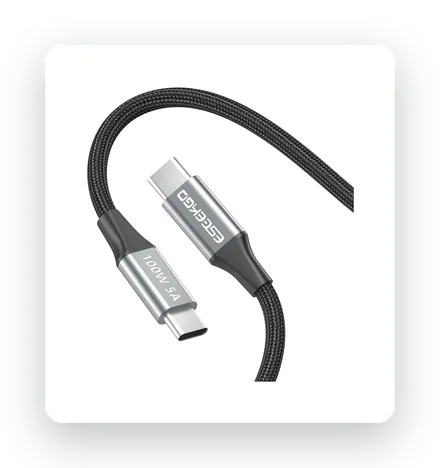
Lider wszystkiego
Kabel do znacznika E o mocy 100 W i rozdzielczości 4K
Zasilanie, transmisja danych 20 Gb/s i wideo 4K na jednym plecionym kablu.
£15.99Kup teraz →
Przywróć gniazdo słuchawkowe
Przewodowy dźwięk tak naprawdę nigdy nie umarł — po prostu został przeniesiony na klucz sprzętowy. A Adapter USB-C na 3,5 mm zapewnia powrót ulubionych słuchawek przewodowych, dźwięk w grach o zerowym opóźnieniu i czystą linię do dowolnego samochodu lub głośnika. Kosztuje mniej więcej tyle samo, co kawa i nie ma żadnych opłat.
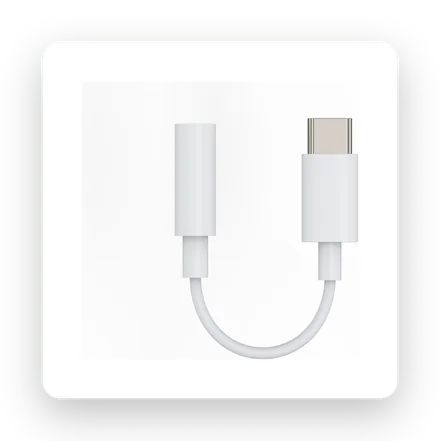
Poprawka w wysokości 4 funtów
Adapter USB-C na 3,5 mm
Przewodowy dźwięk na dowolnym telefonie USB-C. Bez baterii, bez opóźnień.
£4.19Kup teraz →
Pięć z nich będziesz używać co tydzień. Pozostałych pięć jest dowodem na to, jak daleko zaszedł port.
Podłącz prawdziwą pamięć
Dyski flash USB-C, przenośne dyski SSD i czytniki kart SD można podłączyć bezpośrednio do telefonu, aby przesyłać zdjęcia i nagrywać wideo ProRes na dysk zewnętrzny. Nie jest to coś, co tworzymy — ale warto wiedzieć, że Twój telefon potrafi.
Uruchom wyświetlacz zewnętrzny
Dzięki adapterowi USB-C na HDMI iPhone obsługuje ekran 4K do prezentacji, filmów lub większego płótna. Dedykowany obszar adaptera AV, nie nasz — uwzględniony w celu zapewnienia kompletności.
Klawiatury, kontrolery i mikrofony
Klawiatury przewodowe, konsola PlayStation DualSense na kablu lub mikrofon USB-C nadają się do pisania, grania i nagrywania. Akcesoria innych firm, ale port je umożliwia.
Ethernet, wentylatory, a nawet endoskopy
Klucz sprzętowy Gigabit Ethernet zapewniający niezawodną łączność, przypinany wentylator chłodzący do ciężkich sesji, a nawet kamera boroskopowa do zaglądania w ciasne przestrzenie. Niszowe, ale teraz naprawdę możliwe.
Jedno centrum, w którym można wykonać większość zadań
Wieloportowy koncentrator USB-C łączy kilka powyższych funkcji — HDMI, czytnik kart, USB-A, Ethernet i ładowanie przelotowe — w jednym kluczu sprzętowym. Jeśli chcesz wszystkiego na raz, to jest właściwa droga. Jednak dla większości ludzi na co dzień sprowadzają się do tych samych trzech podstawowych kwestii.
Trzy, których będziesz używać na co dzień
Pomiń króliczą norę gadżetów. To trio pokrywa 90% kosztów za mniej niż 30 funtów razem.
30W GaN
£12.85
5K MagSafe
£14.80
Kabel o mocy 100 W
£15.99
Kupuj najpotrzebniejsze rzeczy →
Często zadawane pytania
Czy port USB-C iPhone'a obsługuje ładowanie zwrotne?
Tak. iPhone'y ze złączem USB-C mogą generować moc do około 4,5 W za pośrednictwem kabla USB-C, co pozwala na doładowanie akcesoriów, takich jak słuchawki AirPods, zegarek Apple Watch lub inny telefon. Jest powolny, ale naprawdę ratuje życie, gdy ograniczasz się do jednej wtyczki.
Jaka moc ładuje iPhone'a najszybciej?
iPhone pobiera w szczycie około 27–30 W, więc ładowarka GaN o mocy 30 W osiąga pełną prędkość, mając zapas mocy. Ładowarki o większej mocy (45W, 65W) nie ładują telefonu szybciej, ale pozwalają zasilić tablet czy laptop z tej samej wtyczki.
Czy do szybkiego ładowania i 4K potrzebuję specjalnego kabla?
Tak. Tylko kabel przystosowany do tego zadania — najlepiej kabel USB-C typu E-marker o mocy 100 W — zapewnia pełną moc, transmisję danych z szybkością 20 Gb/s i wideo w rozdzielczości 4K. Cienkie, nieoznakowane kable cicho dławią ładowanie i ledwo przesyłają dane.
Czy nadal mogę używać słuchawek przewodowych na iPhonie ze złączem USB-C?
Absolutnie — adapter USB-C na 3,5 mm przywraca gniazdo słuchawkowe dla dowolnych słuchawek przewodowych, bez baterii i bez opóźnień Bluetooth.


