Tekniktips
Your iPhone's USB-C port can do way more than charge
The quiet switch to USB-C turned your iPhone into a hub. Here are 10 things you can actually plug in, and the three Gibutech essentials you'll reach for every day.

For years the Lightning port kept your iPhone in a walled garden. USB-C tore the wall down. The same universal port on your laptop, tablet and console is now on your phone, which means a world of accessories suddenly just works. Most people still only use it to charge. Here's everything else it can do.
The short version
Your USB-C iPhone can fast-charge, power other devices, drive a display, read storage and more. If you only buy three things, make them a GaN charger, a MagSafe power bank and one proper 100W cable — the trio you'll use daily, all under £30 together.
Charge it properly, and actually fast
The port is only as fast as what you plug into it. The 5W brick era is over: a modern GaN charger pushes far more power while running cooler and smaller than old silicon. A 30W GaN unit fills an iPhone roughly six times faster than the bundled charger, and the same plug tops up a tablet or laptop too.
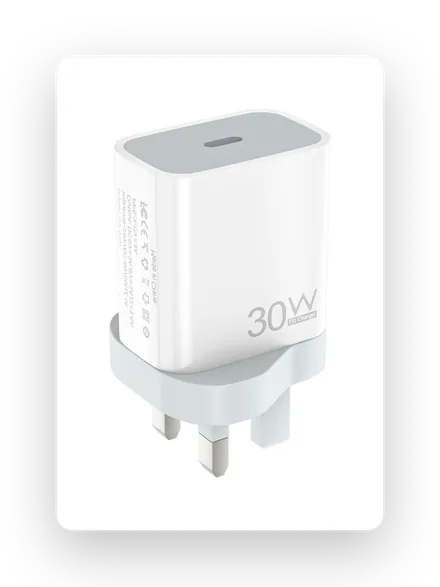
The everyday plug
30W GaN charger
Cool-running gallium nitride, USB-C Power Delivery, folds into any bag.
£12.85Shop now →
Charge it anywhere, cable-free
USB-C didn't kill wireless charging — it made the battery pack better. A MagSafe power bank snaps magnetically to the back of your phone and tops it up on the move, then recharges itself over USB-C. A pocket 5,000mAh pack is the difference between a dead phone at 4pm and a full one.
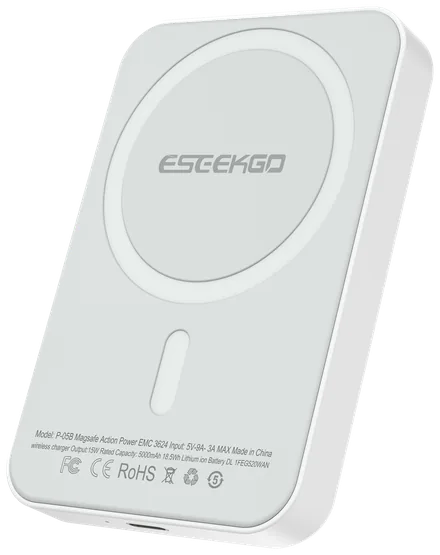
Charge on the move
5K MagSafe power bank
15W magnetic wireless, snap-on, airline-safe, USB-C in and out.
£14.80Shop now →
Reverse-charge your AirPods and Watch
Here's the trick most people miss: your USB-C iPhone can push power out — up to 4.5W — to top up AirPods, an Apple Watch or a friend's phone in a pinch. All it takes is the right USB-C cable between the two. Handy at an airport when there's one plug and two dying devices.
Cable matters here. Reverse charging and fast charging both depend on a cable that can carry the current. A thin, unbranded lead throttles both.
Move files fast, and push 4K to a screen
With USB-C, the iPhone can shift data at proper speeds and output video. A true 100W E-marker cable carries up to 20Gbps of data and 4K at 60Hz of video down a single lead — so you can offload a shoot or mirror to a display without a dock. Not every cable can; the cheap ones charge slowly and barely transfer.
100W Power
20Gbps Data
4K·60 Video out
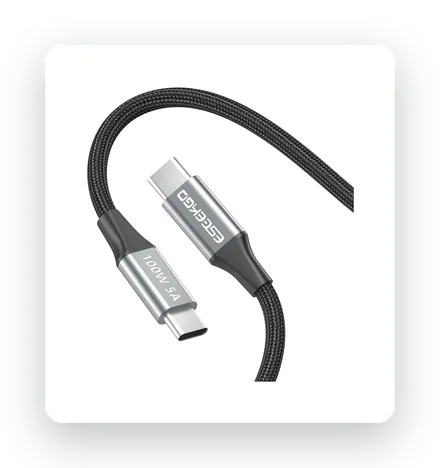
The do-it-all lead
100W 4K E-marker cable
Power, 20Gbps data and 4K video on one braided cable.
£15.99Shop now →
Bring back the headphone jack
Wired audio never really died — it just moved to a dongle. A USB-C to 3.5mm adapter gives you back your favourite wired headphones, zero-lag gaming audio and a clean line into any car or speaker. It costs about the price of a coffee and there's nothing to charge.
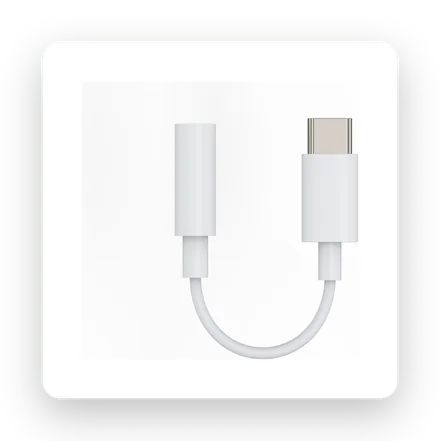
The £4 fix
USB-C to 3.5mm adapter
Wired audio on any USB-C phone. No battery, no lag.
£4.19Shop now →
Five of these you'll use weekly. The other five are proof of just how far the port has come.
Plug in real storage
USB-C flash drives, portable SSDs and SD-card readers connect straight to the phone for offloading photos and recording ProRes video to an external drive. Not something we make — but worth knowing your phone can.
Run an external display
With a USB-C-to-HDMI adapter the iPhone drives a 4K screen for presentations, films or a bigger canvas. A dedicated AV adapter territory, not ours — included for completeness.
Keyboards, controllers and mics
Wired keyboards, a PlayStation DualSense on a cable, or a USB-C microphone all work for typing, gaming and recording. Third-party accessories, but the port makes them possible.
Ethernet, fans and even endoscopes
A gigabit Ethernet dongle for rock-solid connectivity, a clip-on cooling fan for heavy sessions, even a borescope camera for peering into tight spaces. Niche, but genuinely possible now.
One hub to do most of it
A multi-port USB-C hub combines several of the above — HDMI, card reader, USB-A, Ethernet and pass-through charging — into one dongle. If you want everything at once, that's the route. But for most people, day to day, it comes back to the same three essentials.
The three you'll actually use every day
Skip the gadget rabbit hole. This trio covers 90% of it, for under £30 together.
30W GaN
£12.85
5K MagSafe
£14.80
100W cable
£15.99
Vanliga frågor
Does the iPhone USB-C port do reverse charging?
Yes. USB-C iPhones can output up to about 4.5W over a USB-C cable to top up accessories like AirPods, an Apple Watch or another phone. It's slow, but it's a genuine lifesaver when you're down to one plug.
What wattage charges an iPhone fastest?
An iPhone draws up to roughly 27–30W at peak, so a 30W GaN charger hits full speed with headroom to spare. Higher-wattage chargers (45W, 65W) don't charge the phone faster, but they let you power a tablet or laptop from the same plug.
Do I need a special cable for fast charging and 4K?
Yes. Only a cable rated for the job — ideally a 100W E-marker USB-C cable — carries full power, 20Gbps data and 4K video. Thin, unmarked cables quietly throttle charging and barely transfer data.
Can I still use wired headphones on a USB-C iPhone?
Absolutely — a USB-C to 3.5mm adapter restores the headphone jack for any wired headphones, with no battery and no Bluetooth lag.


